
Last checked by the TextEditor.com team
How to use the Markdown editor
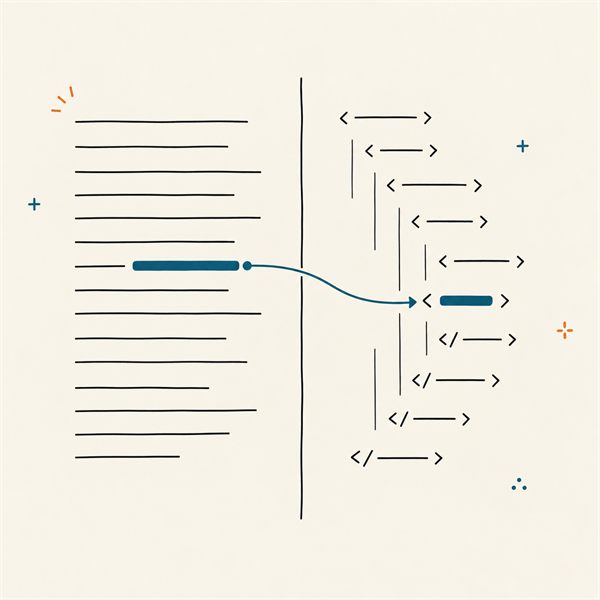
Write on the left. The right side shows the page as a reader will see it, and it updates while you type. The toolbar adds the marks for you: select a word and click B, or press Ctrl+B, and the word gets two asterisks on each side.
- Write or openType Markdown, paste it, or drop a .md or .txt file on the page.
- Check the previewHeadings, lists, links and tables show up on the right as you type.
- Save or copySave the .md file, download a web page, or copy the HTML into your site.
Everything runs in your browser. The text is not sent to our server, and it is saved in this browser so it is still here tomorrow.
What is Markdown?
Markdown is a way to write formatted text with plain characters. A hash sign at the start of a line makes a heading. Asterisks around a word make it bold. A hyphen starts a list item. The file is still plain text, so any editor can open it, and it reads fine even without a preview.
John Gruber published Markdown in 2004, with help from Aaron Swartz. It came with a short Perl script that turned the text into HTML. The original rules left many questions open, so every tool answered them a little differently. In 2014 a group of developers wrote CommonMark, a precise spec with over 600 test cases. GitHub built its own version on top of it, called GitHub Flavored Markdown (GFM), which adds tables, task lists and strikethrough. This editor follows CommonMark and adds the GFM extras.
The ten rules that cover most of Markdown
You can learn most of Markdown in a few minutes. Click a rule to load it into the box, then change the text and watch the result.
Title
Section
Smaller heading
| Rule | You type | You get | ||||||
|---|---|---|---|---|---|---|---|---|
| Headings | # Title ## Section ### Smaller heading | Title Section Smaller heading | ||||||
| Paragraphs and line breaks | One paragraph. A blank line starts a new one. Two spaces at the end make a line break. | One paragraph. A blank line starts a new one. | ||||||
| Bold and italic | **bold**, *italic* and ***both*** | bold, italic and both | ||||||
| Lists | - Apples - Pears - Nested with two spaces 1. First 2. Second |
| ||||||
| Links | [TextEditor.com](https://texteditor.com/ "Free text tools") or just <https://texteditor.com/> | |||||||
| Images |  |
| ||||||
| Code | Inline `code` in a sentence. ```js let total = price * 2; ``` | Inline | ||||||
| Quotes | > A quote. > It can run over several lines. |
| ||||||
| Horizontal rule | Above the line --- Below the line | Above the line Below the line | ||||||
| Tables | | Item | Price | |:------|------:| | Bread | 2.50 | | Milk | 1.20 | |
|
Everything else, like footnotes and escaping, is in the Cheat sheet button above the editor.
Common Markdown mistakes
Most Markdown problems come from spaces and blank lines. The table shows the five that come up most. Click the button to see the fixed source next to the result.
| Mistake | You type | You get |
|---|---|---|
| No blank line before a listThis one works in most editors today, including this one. Older tools glue the list to the sentence. A blank line is always safe. | Shopping: - bread - milk | Shopping:
|
| Enter alone does not break a lineBoth lines join into one. End the first line with two spaces or a backslash to break it. | Roses are red Violets are blue | Roses are red Violets are blue |
| Four spaces or a tab turns text into codeFour spaces at the start of a line mean a code block. Tabs count as four spaces. Nested lists need only two spaces. | Dear team,
Thanks for the report. | Dear team, |
| No space after the hashWithout the space it is just a hashtag in a paragraph. | #Summary | #Summary |
| Underscores inside wordsAn underscore inside a word never starts italics, so file names are safe. Asterisks do work inside words. | snake_case_name is *not* italic | snake_case_name is not italic |
Markdown, HTML or rich text?
All three give you headings, bold text and lists. They differ in who reads the file and how much control you get.
| Markdown | HTML | Rich text | |
|---|---|---|---|
| What you see while writing | Plain text with a few marks | Tags like <p> and <a> | The finished look, like in Word |
| Good for | Notes, README files, docs, forum posts | Web pages, email templates, exact layout | Letters, email, pasting into Word |
| Control over the look | Low: the site that shows it picks the style | Full, with CSS | Medium: fonts and colors, no code |
| Opens in | Any text editor, GitHub, note apps | Any browser | Word, Google Docs, email |
| Tool on this site | This page | HTML editor and cleaner | Rich text editor |
Markdown can hold HTML too. If a table needs merged cells or an image needs a set width, write that part as HTML tags inside the Markdown. The preview here removes scripts and event attributes from such tags, so pasted code can't run on this page.
Where .md files are used
A file that ends in .md is a Markdown file. GitHub shows the README.md of every project on its front page, and it renders issues and comments the same way. Note apps like Obsidian, Bear and Joplin store each note as a .md file, so your notes stay readable without the app. Static site builders like Hugo, Jekyll and Astro turn a folder of .md files into a website.
Many chat and forum sites take Markdown too, with their own small differences. Reddit, Discord and Stack Overflow all read asterisks for bold or italic and backticks for code. Slack uses a similar but not identical set of marks. When a site ignores one of your marks, check its help page for the details.
Tables in Markdown
Tables are not part of the original Markdown or CommonMark. They come from GFM, and most tools support them now. Pipes separate the cells, and a row of hyphens under the first row marks it as the header. A colon at the left or right end of the hyphens sets the alignment of that column.
Lining up the pipes by hand is slow once a table has more than a few rows. The Markdown table generator builds the text from a grid, or from a pasted spreadsheet, and you can paste the result here.
Export options and where the text is saved
Save .md writes a Markdown file. In Chrome and Edge the first save asks where to put the file, and later saves write to the same file, like a desktop editor. Other browsers download a new copy each time.
Download as .html gives you a complete web page with a small style sheet that follows your light or dark system setting. Copy HTML puts only the HTML of the preview on the clipboard, ready for a blog editor or a CMS. Copy formatted copies the preview as rich text, so you can paste it into Word, Google Docs or an email with the formatting kept. For a PDF, pick PDF in the Download menu: the browser prints only the preview, and you choose "Save as PDF" as the printer.
The text is saved in this browser about half a second after each change, in a store called IndexedDB. It stays on your device. Clearing the browser data removes it, so save a file before you do that. The same works in the plain text editor and the code editor on this site.
Markdown has a long history and many flavors. The Wikipedia article on Markdown lists the main ones and the tools that use them.
Tools that go with Markdown
- Make a Markdown table
| a | b |Fill in a grid and copy the table as text. - Clean up a web page
<b>Hi</b>→ HiThe visual HTML editor tidies code from Word and Google Docs. - Write with bold, lists and linksB I UThe rich text editor. Copy it formatted into email or Word.
- Fill a layout with sample textLorem ipsum dolor sit ametPlaceholder paragraphs as plain text, HTML or Markdown.